
Business Continuity and Data Protection
Backup and Disaster Recovery Services for Seattle Small Businesses
Protect critical data and keep essential systems recoverable after ransomware, hardware failure, human error, or an outage. Fidelis builds and manages backup and recovery plans for Seattle-area companies with 5 to 150 employees.
Get answers now
(Obligation-free)
206-210-3975
Fidelis by the numbers
3K+
Devices under management
28+
Local Seattle employees
96%
First call resolution
8years
Average employee tenure
2008
Founded in Seattle
Know what can be restored, how quickly, and by whom
Many people believe that simply copying files to a hard drive or the cloud makes them safe. But if there’s a hardware failure or a ransomware attack, the true risk of data loss becomes clear: the operational paralysis that can result when critical systems can’t be brought online because the data is inaccessible or corrupted.
The value of a Backup and Disaster Recovery (BDR) system isn’t measured by how well it saves your data, but by how quickly and reliably it restores your essential operations which rely on the data. To ensure your organization can recover from a data-loss event, you have to know which critical systems to bring back online first, the maximum amount of downtime your business can financially endure, and the specific people responsible for executing the recovery.
A robust BDR strategy removes the guesswork from data security. It ensures that if the worst happens, your business doesn’t suffer crippling downtime but instead experiences a controlled, rapid return to operations.
To reduce the risk of loss of your business data, recoverability requires current backups, defined recovery priorities, documented responsibilities, and a workable recovery procedure.
-
Common causes of data loss and downtime
Here are the biggest risk factors to be aware of:
- Ransomware and account compromise
- Hardware or storage failure
- Accidental deletion (human error)
- Data corruption
- Fire, water, and power-outage events
- Cloud application or Microsoft 365 data loss
- Failure of a critical business application
Backup, disaster recovery, and business continuity: solutions for three different problems
While often used interchangeably, these three concepts represent distinct layers of protection. Understanding the difference ensures your business is prepared for any crisis.
Data backup makes recoverable copies of your data
Backup is the foundation. It duplicates your critical files, databases, and emails, and stores them in secondary locations, typically an on-site copy with secondary offsite or cloud copies. Because not all data holds equal value, the most important must be prioritized for recovery. This means your backup frequency has to reflect the importance and change rate of the specific data being protected.
Disaster recovery restores systems and access
This is your action plan. Disaster recovery rebuilds your essential IT environment so that operations can resume. It restores applications, servers, and user access, carefully defining the sequence in which systems are brought back online to safely minimize downtime.
Business continuity keeps essential work moving
This is your operational survival strategy. While disaster recovery is actively underway, business continuity defines how your organization will continue serving customers, processing orders, and supporting employees through alternative methods until full network access is restored.
What Fidelis backup and disaster recovery services include
Backup and recovery
assessment
We review your technology environment to map critical systems, data repositories, applications, third-party vendors, and operational dependencies. This comprehensive assessment ensures no vital business asset is overlooked and establishes a baseline for your custom backup and disaster recovery strategy.
Recovery time and data-loss planning
We work with you to evaluate risk and determine how much data loss your business can tolerate and how quickly each system must be restored, known as your Recovery Point Objective (RPO) and Recovery Time Objective (RTO). These let us build a plan tailored to your unique operational priorities.
Backup architecture and implementation
Fidelis uses an optimal combination of local, cloud, offsite, or hybrid storage to design and deploy a tailored solution for your needs. We configure solutions for seamless data redundancy to guarantee your critical information remains secure, accessible, and resilient against any outage or attack.
24/7 backup monitoring and management
We oversee your backups to ensure they are usable when needed. If a backup fails or encounters errors, Fidelis proactively investigates and resolves the issue, keeping your data protection strategy running smoothly.
Recovery procedures and documentation
We help you develop a detailed disaster recovery document outlining system restoration order, key responsibilities, emergency contacts, credentials, vendor information, and escalation paths. This documentation removes chaos and guesswork, ensuring swift, organized action when every second counts.
Restore testing and plan maintenance
We automate the validation of your backups and can perform test restorations to help ensure data integrity and that system restoration works as planned. As your organization grows by adding new software, employees, locations, or infrastructure, Fidelis will help update your recovery plan so your protection scales with your business.
Recovery support during an incident
If a disaster strikes, Fidelis leads your recovery effort from start to finish. We manage technical vendor coordination, maintain clear communication throughout the incident, and work relentlessly to safely bring your servers, applications, and networks back online as quickly as possible.
RPO and RTO: Set recovery targets for the needs of your organization
-
Recovery point objective (RPO): How much data can you afford to lose?
Your RPO defines the maximum amount of recent data you can lose without significant operational damage. The amount directly dictates your backup frequency: For example, if your company processes hundreds of e-commerce transactions hourly, a 24-hour RPO could be financially devastating; you need an RPO of just a few minutes. Conversely, if you only update internal spreadsheets occasionally, a standard nightly backup (a 24-hour RPO) may be adequate.
-
Recovery time objective (RTO): How long can your systems be unavailable?
Your RTO is the maximum downtime before your company suffers significant operational or reputational damage. Because recovering everything instantly is expensive, prioritization of systems is essential: For example, core line-of-business applications and live customer records might demand a one-hour RTO to keep revenue flowing. However, internal administrative systems like payroll or marketing may tolerate a 24-hour RTO, provided the outage doesn’t fall on payday.
How Fidelis builds and manages your recovery plan

Assess your critical systems and data
Identify what the business depends on and what is currently protected.

Define recovery priorities
Agree on acceptable downtime, acceptable frequency of backups, recovery order, and responsibilities.

Implement and document the protection
Configure the backup and business continuity system and document how recovery will work.

Monitor and verify backups
Monitor backups and perform the agreed checks or restoration tests.

Maintain the recovery plan
Update documentation and recovery procedures as the business changes.

Coordinate recovery when an incident occurs
Follow the documented process, communicate, and restore systems in the agreed order.
Backup and disaster recovery support for Seattle small businesses
Fidelis has you covered regardless of your IT resources or requirements.


If you don't have internal IT
We work with you to design, manage, and maintain your backup process. From continuous 24/7 monitoring to detailed disaster documentation, Fidelis provides a single, reliable point of support for your data’s safety and ability to recover your operations.

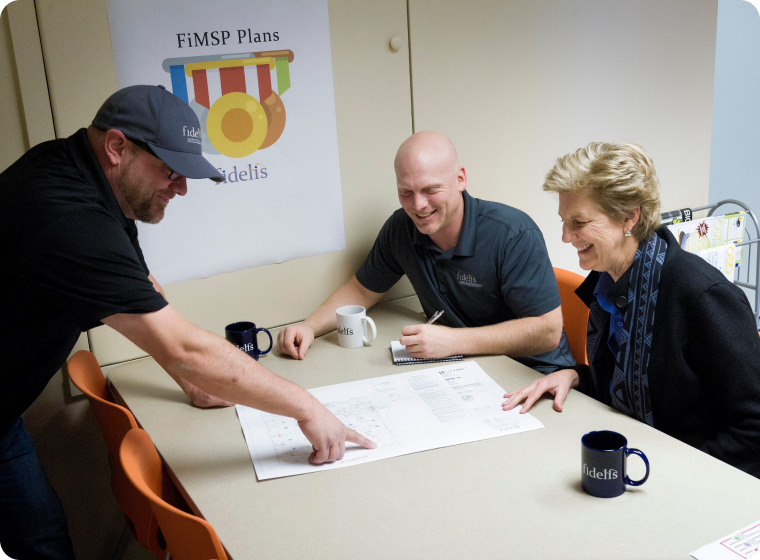
If you have an IT person or a small IT team carrying the responsibility
We act as a powerful extension of your existing staff. Fidelis handles the heavy lifting of monitoring, frequent testing, and advanced recovery support, empowering your internal IT people without replacing them.

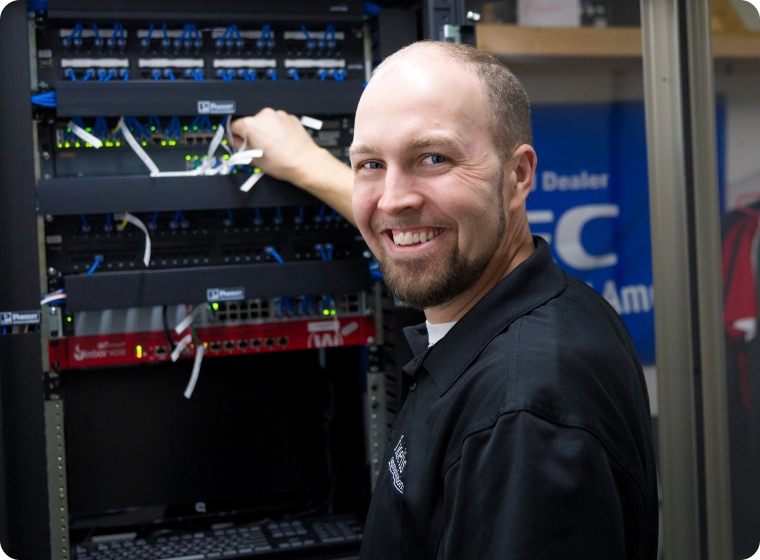
If downtime affects customers, revenue, or compliance
When every minute offline risks financial loss, regulatory violations, or reputational damage, Fidelis ensures your sensitive customer, patient, or financial data is protected and rapidly recoverable to maintain critical business continuity.
Why Seattle-area businesses choose Fidelis
-
Local accountability from a Renton-based team
Headquartered in Renton, our team of Seattle-based employees delivers all your IT services directly. We’re local, ensuring you receive true accountability and rapid onsite responses right here in the Greater Seattle area. -
Cloud, security, support, and infrastructure expertise
Effective recovery requires understanding the entire IT ecosystem. Our deep expertise spans complex network design, cloud and physical server platforms, security controls, and employee access systems, ensuring we restore your operational environment, not just isolated files. -
24/7 monitoring with remote and onsite support
Have confidence knowing our Network Operations Center (NOC) and Security Operations Center (SOC) are providing 24/7 monitoring and management of your operations, devices, and workforce. Our team will always be ready to execute your disaster recovery plan. -
Serving Greater Seattle businesses since 2008
Since 2008, we have built a proven track record of protecting Pacific Northwest organizations. Our high client retention and history of successful IT outcomes reflect our enduring commitment to keeping local businesses secure, operational, and thriving.
How a Seattle healthcare provider recovered from server crash
-
What happened
A busy Seattle chiropractic office relies on a server to run its critical practice management software. They experienced a hardware failure on a new server that caused it to crash, bringing operations, patient scheduling, and records access to an immediate halt. -
How Fidelis responded
Fortunately, Fidelis had deployed a Datto Business Continuity and Disaster Recovery (BCDR) appliance on-site. This system automatically takes snapshots of their data throughout the day and replicates it off-site. It also tests these backups to ensure that if they are needed, they work. Fidelis was able to use these snapshots to quickly virtualize the server and continue business operations while the replacement server was prepared. -
What was restored and what the business avoided
Once the new server was ready, Fidelis was able to take the running backups and restore to the new device. By keeping operations running from the BCDR appliance and simplifying the process of moving to the new server, the practice kept running and avoided costly downtime and lost productivity while waiting for replacement hardware.
Fidelis partners


Frequently asked questions about backup and disaster recovery
What is the difference between backup and disaster recovery?
Backup is the process of saving a secure copy of your files. Disaster recovery is a strategy for restoring your IT environment after some kind of an emergency. The goals are to prevent an interruption in operations or to get operations running again as soon as possible. The strategy includes a technical plan to restore servers, applications, and networks.
What business data and systems should be backed up?
Businesses and nonprofits should back up all critical assets, including financial records, databases, line of business applications, employee files, and emails. Beyond individual files and folders, backing up operating systems, custom applications, and server configurations ensures a full, rapid system restoration.
Does Microsoft 365 or OneDrive replace a separate business backup?
No. As Microsoft states in their user agreements, they are not liable for data loss. Microsoft 365 and OneDrive provide basic data syncing and temporary retention, not true backups. They do not protect against targeted ransomware, malicious deletion, or accidental data loss. Microsoft states that a separate, third-party backup solution is essential for complete protection.
How often should a small business back up its data?
Backup frequency should match your data’s rate of change and importance. Most small and midsize organizations should perform automated backups at least daily. For critical financial or operational data, backups should run more frequently during business hours to minimize potential loss.
How often should backups and recovery procedures be tested?
You should test your backups regularly, using automated testing and validation if possible. Recovery procedures should be reviewed at least once a year. Automated validation checks can occur nightly, but running a full disaster recovery drill can ensure your systems can be restored quickly during a real crisis.
Can backups help a business recover from ransomware?
Yes, secure, isolated (“air gapped”) and immutable backups are your best defense against ransomware. If hackers encrypt your data, a reliable, uncompromised backup with enough backup retention allows you to restore your systems and data to a point before the infection occurred, reducing the likelihood that you would need to pay a ransom.
What is the 3-2-1 backup rule?
The 3-2-1 rule is a proven data protection strategy: Keep three copies of your data (one primary, two backups), store them on two different types of media, and keep at least one copy securely offsite or in the cloud.
Can Fidelis manage cloud and on-premises backups?
Yes. Fidelis offers comprehensive data protection solutions across diverse environments. Whether you use local physical servers, virtual machines, cloud infrastructure, or a hybrid setup, we can ensure your data is automatically backed up and quickly recoverable.
How much do backup and disaster recovery services cost?
BDR costs vary based on data volume, server count, and required recovery objectives. At Fidelis, we can provide transparent, predictable monthly pricing without surprise fees for your Seattle-area organization. Book a free call so we can give you an estimate.
Can Fidelis provide onsite recovery support in the Seattle area?
Yes, absolutely. Fidelis provides expert, hands-on remote or onsite recovery support to Seattle-area businesses and nonprofits to quickly restore your operations.
Find out how recoverable your business is
Consult with us about what your business relies on, what is currently protected, and how much downtime you can endure. Fidelis will help you identify the gaps and build a cost-effective BDR plan tailored to your needs.
The Fidelis team is waiting!
Get answers now
(Obligation-free)
206-210-3975